All widgets
Now playing: Apple Music
Comes with Chopstick
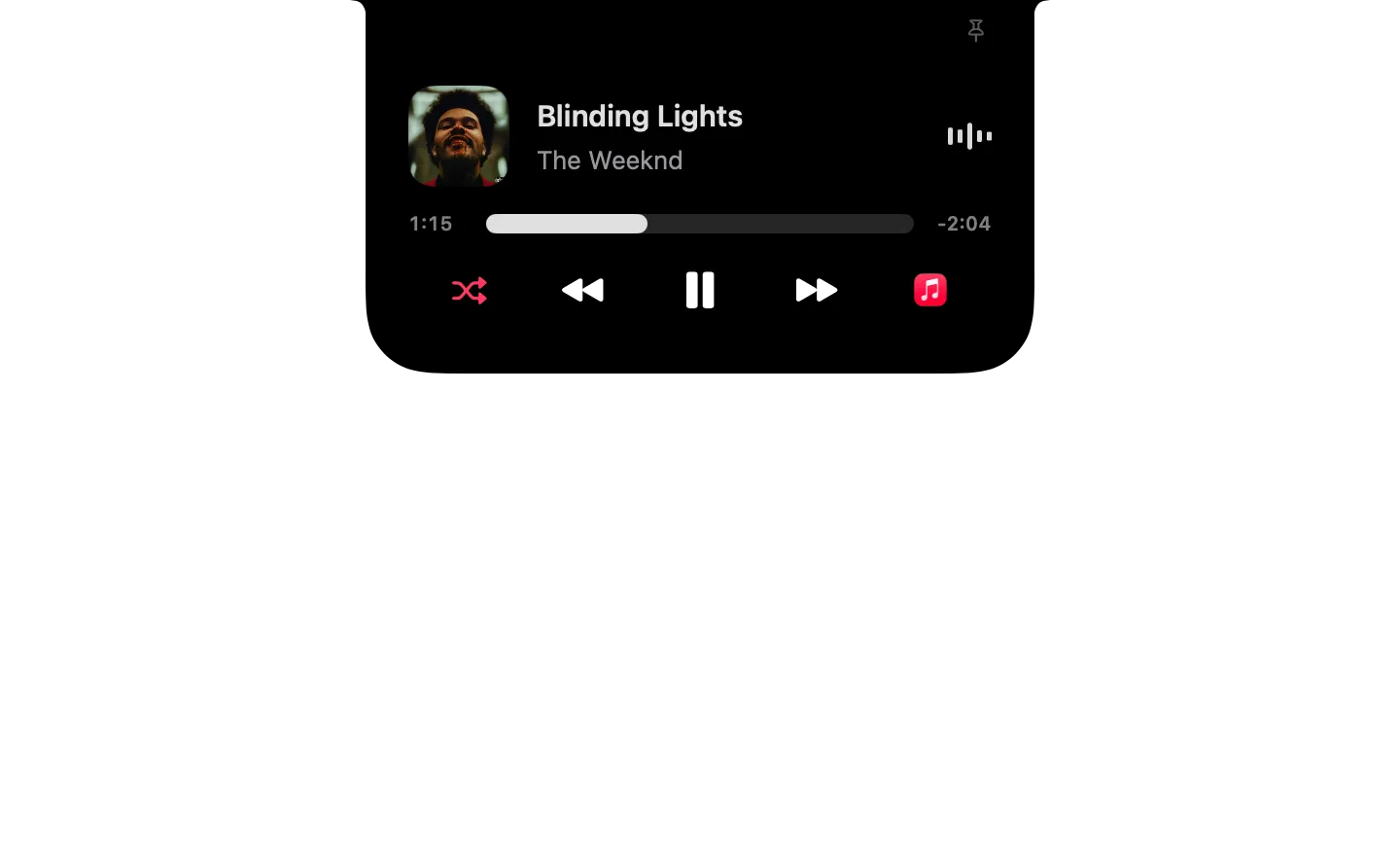
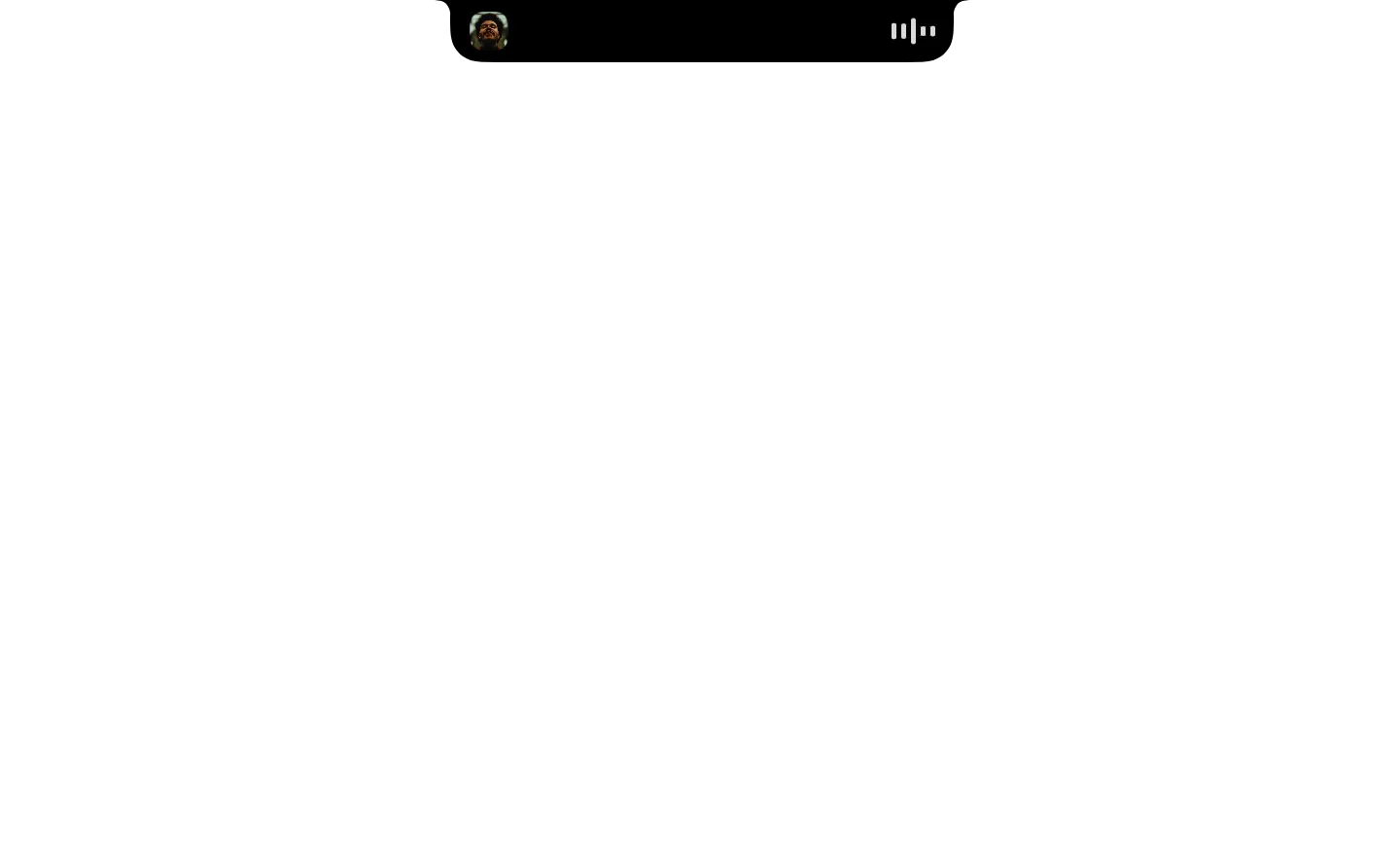
Apple Music while it plays: cover, track, timeline you can scrub, play/pause, skip and shuffle.
Already installed? It's in your widget library.
Type it in the notch's search
- Play Apple Music
- Pause Apple Music
- Next track in Apple Music
- Previous track in Apple Music
- Show Apple Music
What it runs
A widget is a folder of plain files. Here is all of its code.
widget.json
{
  "id": "now-playing-music",
  "name": "Now playing: Apple Music",
  "icon": "app:com.apple.Music",
  "description": "Apple Music while it plays: cover, track, timeline you can scrub, play/pause, skip and shuffle.",
  "ambient": true,
  "watch": [
    {
      "notification": "com.apple.Music.playerInfo",
      "as": "music",
      "refresh": "music_live"
    },
    {
      "script": "state.sh",
      "every": 2,
      "as": "music_live"
    }
  ],
  "show_when": {
    "music.Player State": "Playing"
  },
  "initial": "playing",
  "anytime": true,
  "preview": {
    "data": {
      "music": {
        "Player State": "Playing",
        "Name": "Blinding Lights",
        "Artist": "The Weeknd",
        "Album": "After Hours"
      },
      "music_live": {
        "state": "playing",
        "name": "Blinding Lights",
        "artist": "The Weeknd",
        "album": "After Hours",
        "artwork": "https://is1-ssl.mzstatic.com/image/thumb/Music125/v4/6f/bc/e6/6fbce6c4-c38c-72d8-4fd0-66cfff32f679/20UMGIM12176.rgb.jpg/300x300bb.jpg",
        "position": 74,
        "duration_s": 200,
        "shuffling": true,
        "shuffle_tint": "pink",
        "toggle": "pause.fill"
      }
    }
  },
  "commands": {
    "play": {
      "phrase": "Play Apple Music",
      "description": "Start or resume playback in Apple Music.",
      "do": [
        {
          "set": {
            "command": "play"
          }
        },
        {
          "run": "control.sh"
        },
        {
          "refresh": "music_live"
        }
      ]
    },
    "pause": {
      "phrase": "Pause Apple Music",
      "description": "Pause Apple Music.",
      "do": [
        {
          "set": {
            "command": "pause"
          }
        },
        {
          "run": "control.sh"
        },
        {
          "refresh": "music_live"
        }
      ]
    },
    "next": {
      "phrase": "Next track in Apple Music",
      "description": "Skip to the next track in Apple Music.",
      "do": [
        {
          "set": {
            "command": "next track"
          }
        },
        {
          "run": "control.sh"
        },
        {
          "refresh": "music_live"
        }
      ]
    },
    "previous": {
      "phrase": "Previous track in Apple Music",
      "description": "Go back to the previous track in Apple Music.",
      "do": [
        {
          "set": {
            "command": "previous track"
          }
        },
        {
          "run": "control.sh"
        },
        {
          "refresh": "music_live"
        }
      ]
    },
    "show": {
      "phrase": "Show Apple Music",
      "description": "Bring the Music app to the front.",
      "do": [
        {
          "set": {
            "command": "activate"
          }
        },
        {
          "run": "control.sh"
        },
        {
          "refresh": "music_live"
        }
      ]
    }
  },
  "states": {
    "playing": {
      "compact": {
        "leading": {
          "image": "{{music_live.artwork}}"
        },
        "trailing": {
          "equalizer": {
            "active_when": {
              "music_live.state": "playing"
            },
            "tint_from_image": "{{music_live.artwork}}"
          }
        }
      },
      "expanded": {
        "size": "compact",
        "blocks": [
          {
            "row": [
              {
                "image": "{{music_live.artwork}}",
                "size": "medium"
              },
              {
                "stack": [
                  {
                    "text": "{{music_live.name | Nothing playing}}",
                    "style": "title",
                    "lines": 1
                  },
                  {
                    "text": "{{music_live.artist | Music}}",
                    "tint": "gray",
                    "lines": 1
                  }
                ],
                "spacing": "tight"
              },
              "spacer",
              {
                "equalizer": {
                  "active_when": {
                    "music_live.state": "playing"
                  },
                  "tint_from_image": "{{music_live.artwork}}"
                }
              }
            ],
            "align": "center"
          },
          {
            "slider": {
              "value": "{{music_live.position | 0}}",
              "max": "{{music_live.duration_s | 0}}",
              "format": "time",
              "ticking_when": {
                "music_live.state": "playing"
              },
              "tint_from_image": "{{music_live.artwork}}",
              "on_change": [
                {
                  "set": {
                    "command": "set player position to {{item.value}}"
                  }
                },
                {
                  "run": "control.sh"
                },
                {
                  "refresh": "music_live"
                }
              ]
            }
          },
          {
            "row": [
              "spacer",
              {
                "button": {
                  "style": "plain",
                  "do": [
                    {
                      "set": {
                        "command": "set shuffle enabled to not shuffle enabled"
                      }
                    },
                    {
                      "run": "control.sh"
                    },
                    {
                      "refresh": "music_live"
                    }
                  ],
                  "symbol": "shuffle",
                  "tint": "{{music_live.shuffle_tint}}"
                }
              },
              "spacer",
              {
                "button": {
                  "style": "plain",
                  "do": [
                    {
                      "set": {
                        "command": "previous track"
                      }
                    },
                    {
                      "run": "control.sh"
                    },
                    {
                      "refresh": "music_live"
                    }
                  ],
                  "symbol": "backward.fill"
                }
              },
              "spacer",
              {
                "button": {
                  "style": "plain",
                  "do": [
                    {
                      "set": {
                        "command": "playpause"
                      }
                    },
                    {
                      "run": "control.sh"
                    },
                    {
                      "refresh": "music_live"
                    }
                  ],
                  "symbol": "{{music_live.toggle | play.fill}}",
                  "size": "large"
                }
              },
              "spacer",
              {
                "button": {
                  "style": "plain",
                  "do": [
                    {
                      "set": {
                        "command": "next track"
                      }
                    },
                    {
                      "run": "control.sh"
                    },
                    {
                      "refresh": "music_live"
                    }
                  ],
                  "symbol": "forward.fill"
                }
              },
              "spacer",
              {
                "button": {
                  "style": "plain",
                  "do": [
                    {
                      "set": {
                        "command": "activate"
                      }
                    },
                    {
                      "run": "control.sh"
                    },
                    {
                      "refresh": "music_live"
                    }
                  ],
                  "image": "app:com.apple.Music"
                }
              },
              "spacer"
            ],
            "align": "center"
          }
        ]
      },
      "keys": [
        {
          "key": "esc",
          "do": [
            "dismiss"
          ]
        }
      ]
    }
  }
}
control.sh
#!/bin/sh
# Sends $CHOPSTICK_COMMAND to Music: "playpause", "play", "pause", "next track",
# "previous track", "set player position to <seconds>", "activate" or
# "set shuffle enabled to not shuffle enabled". Asks once for permission to control Music.
osascript -e "tell application id \"com.apple.Music\" to $CHOPSTICK_COMMAND"
music.js
// Prints what Music is playing as JSON. Music has no artwork URL, so the current
// track's cover is written once per track to <storage>/artwork-<track id>.<ext>
// and its path printed; covers of earlier tracks are removed.
ObjC.import('Foundation')

function run(argv) {
  const m = Application('com.apple.Music'), state = m.playerState()
  const out = { state, toggle: state === 'playing' ? 'pause.fill' : 'play.fill' }
  try {
    const shuffling = m.shuffleEnabled()
    Object.assign(out, { shuffling, shuffle_tint: shuffling ? 'pink' : '' })
  } catch (e) {}
  let t
  try { t = m.currentTrack(); t.name() } catch (e) { return JSON.stringify(out) }
  Object.assign(out, {
    name: t.name(), artist: t.artist(), album: t.album(),
    position: Math.round(m.playerPosition() || 0), duration_s: Math.round(t.duration() || 0),
    artwork: cover(t, argv[0]) || 'app:com.apple.Music'
  })
  return JSON.stringify(out)
}

// The cover's file path, written now if this track's isn't there yet; '' if it has none.
function cover(track, storage) {
  if (!storage) return ''
  const fm = $.NSFileManager.defaultManager
  const id = track.persistentID()
  for (const ext of ['jpg', 'png']) {
    const path = `${storage}/artwork-${id}.${ext}`
    if (fm.fileExistsAtPath(path)) return path
  }
  let ext
  try {
    const art = track.artworks[0]
    ext = String(art.format()).toLowerCase().includes('png') ? 'png' : 'jpg'
  } catch (e) { return '' }
  const path = `${storage}/artwork-${id}.${ext}`, tmp = `${path}.part`
  fm.createDirectoryAtPathWithIntermediateDirectoriesAttributesError(storage, true, $(), null)
  // JXA can't write raw artwork data; AppleScript can.
  const quoted = tmp.replace(/\\/g, '\\\\').replace(/"/g, '\\"')
  $.NSAppleScript.alloc.initWithSource(`
    tell application id "com.apple.Music" to set d to raw data of artwork 1 of current track
    set f to open for access (POSIX file "${quoted}") with write permission
    try
      set eof f to 0
      write d to f
    end try
    close access f`).executeAndReturnError(null)
  const size = fm.fileExistsAtPath(tmp) ? Number(fm.attributesOfItemAtPathError(tmp, null).fileSize) : 0
  const names = ObjC.deepUnwrap(fm.contentsOfDirectoryAtPathError(storage, null)) || []
  for (const n of names) if (n.startsWith('artwork-') && `${storage}/${n}` !== tmp) fm.removeItemAtPathError(`${storage}/${n}`, null)
  if (!size) { fm.removeItemAtPathError(tmp, null); return '' }
  fm.moveItemAtPathToPathError(tmp, path, null)
  return path
}
state.sh
#!/bin/sh
# Everything the widget shows, read from Music as JSON: state, track, cover,
# position, length, shuffle. Prints {} without launching Music if it's closed.
pgrep -xq Music || { echo '{}'; exit 0; }
osascript -l JavaScript music.js "$CHOPSTICK_STORAGE" 2>/dev/null || echo '{}'