All widgets
Now playing: Spotify
Comes with Chopstick
Spotify while it plays: cover, track, timeline you can scrub, play/pause, skip and shuffle.
Already installed? It's in your widget library.
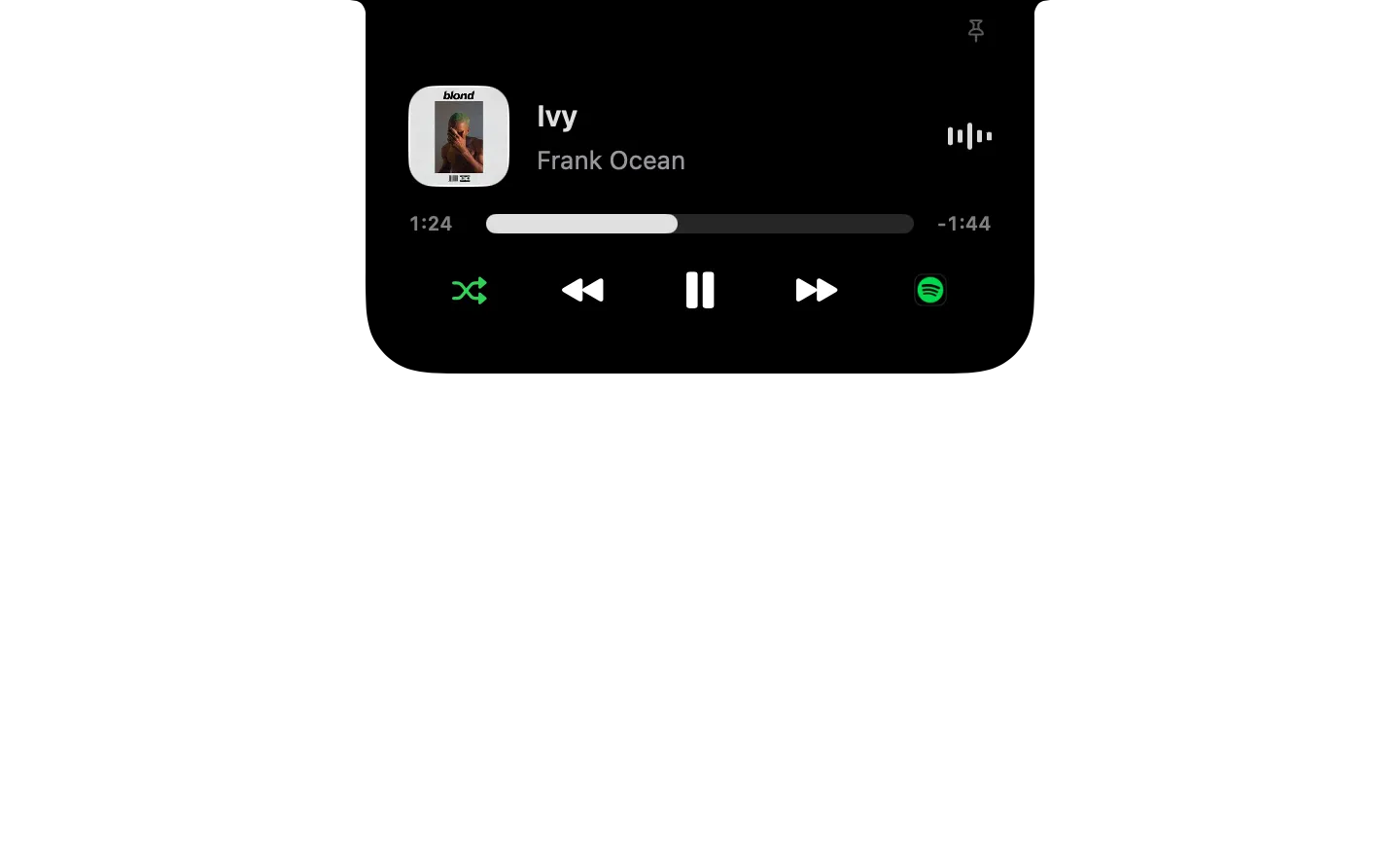
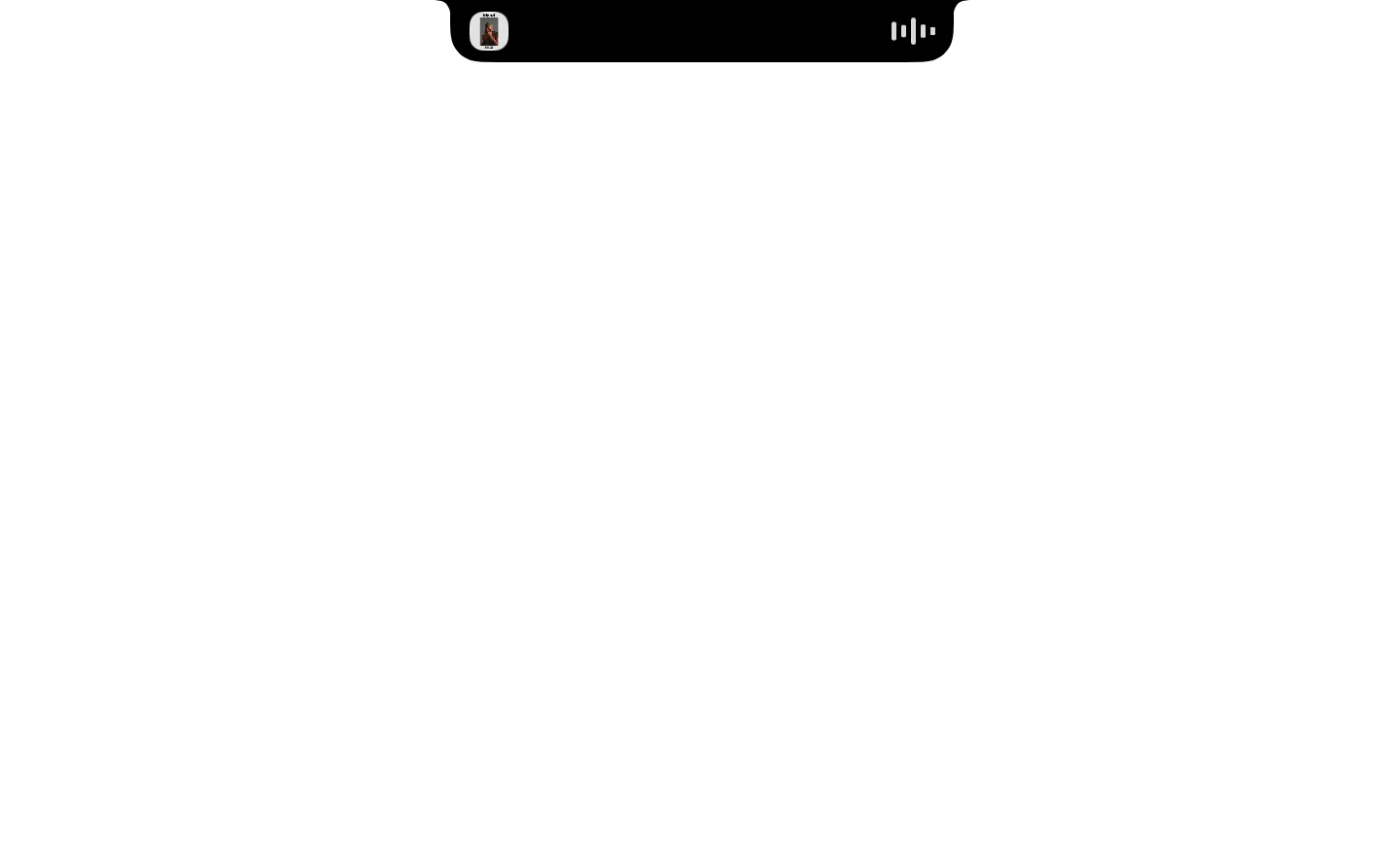
Type it in the notch's search
- Play Spotify
- Show Spotify
- Pause Spotify
- Next track in Spotify
- Previous track in Spotify
What it runs
A widget is a folder of plain files. Here is all of its code.
widget.json
{
  "id": "now-playing-spotify",
  "name": "Now playing: Spotify",
  "icon": "app:com.spotify.client",
  "description": "Spotify while it plays: cover, track, timeline you can scrub, play/pause, skip and shuffle.",
  "ambient": true,
  "watch": [
    {
      "notification": "com.spotify.client.PlaybackStateChanged",
      "as": "spotify",
      "refresh": "spotify_live"
    },
    {
      "script": "state.sh",
      "every": 2,
      "as": "spotify_live"
    }
  ],
  "show_when": {
    "spotify.Player State": "Playing"
  },
  "initial": "playing",
  "anytime": true,
  "preview": {
    "data": {
      "spotify_live": {
        "state": "playing",
        "name": "Ivy",
        "artist": "Frank Ocean",
        "album": "Blonde",
        "artwork": "https://image-cdn-fa.spotifycdn.com/image/ab67616d00001e02c5649add07ed3720be9d5526",
        "position": 83,
        "duration_s": 189,
        "shuffling": true,
        "shuffle_tint": "green",
        "toggle": "pause.fill"
      }
    }
  },
  "commands": {
    "play": { "phrase": "Play Spotify",
      "description": "Start or resume playback in Spotify.",
      "do": [
        {
          "set": {
            "command": "play"
          }
        },
        {
          "run": "control.sh"
        },
        {
          "refresh": "spotify_live"
        }
      ]
    },
    "show": { "phrase": "Show Spotify",
      "description": "Bring Spotify to the front.",
      "do": [ { "set": { "command": "activate" } }, { "run": "control.sh" }, { "refresh": "spotify_live" } ]
    },
    "pause": { "phrase": "Pause Spotify",
      "description": "Pause Spotify.",
      "do": [
        {
          "set": {
            "command": "pause"
          }
        },
        {
          "run": "control.sh"
        },
        {
          "refresh": "spotify_live"
        }
      ]
    },
    "next": { "phrase": "Next track in Spotify",
      "description": "Skip to the next track.",
      "do": [
        {
          "set": {
            "command": "next track"
          }
        },
        {
          "run": "control.sh"
        },
        {
          "refresh": "spotify_live"
        }
      ]
    },
    "previous": { "phrase": "Previous track in Spotify",
      "description": "Go back to the previous track.",
      "do": [
        {
          "set": {
            "command": "previous track"
          }
        },
        {
          "run": "control.sh"
        },
        {
          "refresh": "spotify_live"
        }
      ]
    }
  },
  "states": {
    "playing": {
      "compact": {
        "leading": {
          "image": "{{spotify_live.artwork}}"
        },
        "trailing": {
          "equalizer": {
            "active_when": {
              "spotify_live.state": "playing"
            },
            "tint_from_image": "{{spotify_live.artwork}}"
          }
        }
      },
      "expanded": {
        "blocks": [
          {
            "row": [
              {
                "image": "{{spotify_live.artwork}}",
                "size": "medium"
              },
              {
                "stack": [
                  {
                    "text": "{{spotify_live.name | Nothing playing}}",
                    "style": "title",
                    "lines": 1
                  },
                  {
                    "text": "{{spotify_live.artist | Spotify}}",
                    "tint": "gray",
                    "lines": 1
                  }
                ],
                "spacing": "tight"
              },
              "spacer",
              {
                "equalizer": {
                  "active_when": {
                    "spotify_live.state": "playing"
                  },
                  "tint_from_image": "{{spotify_live.artwork}}"
                }
              }
            ],
            "align": "center"
          },
          {
            "slider": {
              "value": "{{spotify_live.position | 0}}",
              "max": "{{spotify_live.duration_s | 0}}",
              "format": "time",
              "ticking_when": {
                "spotify_live.state": "playing"
              },
              "tint_from_image": "{{spotify_live.artwork}}",
              "on_change": [
                {
                  "set": {
                    "command": "set player position to {{item.value}}"
                  }
                },
                {
                  "run": "control.sh"
                },
                {
                  "refresh": "spotify_live"
                }
              ]
            }
          },
          {
            "row": [
              "spacer",
              {
                "button": {
                  "style": "plain",
                  "do": [
                    {
                      "set": {
                        "command": "set shuffling to not shuffling"
                      }
                    },
                    {
                      "run": "control.sh"
                    },
                    {
                      "refresh": "spotify_live"
                    }
                  ],
                  "symbol": "shuffle",
                  "tint": "{{spotify_live.shuffle_tint}}"
                }
              },
              "spacer",
              {
                "button": {
                  "style": "plain",
                  "do": [
                    {
                      "set": {
                        "command": "previous track"
                      }
                    },
                    {
                      "run": "control.sh"
                    },
                    {
                      "refresh": "spotify_live"
                    }
                  ],
                  "symbol": "backward.fill"
                }
              },
              "spacer",
              {
                "button": {
                  "style": "plain",
                  "do": [
                    {
                      "set": {
                        "command": "playpause"
                      }
                    },
                    {
                      "run": "control.sh"
                    },
                    {
                      "refresh": "spotify_live"
                    }
                  ],
                  "symbol": "{{spotify_live.toggle | play.fill}}",
                  "size": "large"
                }
              },
              "spacer",
              {
                "button": {
                  "style": "plain",
                  "do": [
                    {
                      "set": {
                        "command": "next track"
                      }
                    },
                    {
                      "run": "control.sh"
                    },
                    {
                      "refresh": "spotify_live"
                    }
                  ],
                  "symbol": "forward.fill"
                }
              },
              "spacer",
              {
                "button": {
                  "style": "plain",
                  "do": [
                    {
                      "set": {
                        "command": "activate"
                      }
                    },
                    {
                      "run": "control.sh"
                    },
                    {
                      "refresh": "spotify_live"
                    }
                  ],
                  "image": "app:com.spotify.client"
                }
              },
              "spacer"
            ],
            "align": "center"
          }
        ],
        "size": "compact"
      },
      "keys": [
        {
          "key": "space",
          "do": [
            {
              "set": {
                "command": "playpause"
              }
            },
            {
              "run": "control.sh"
            }
          ]
        },
        {
          "key": "esc",
          "do": [
            "dismiss"
          ]
        }
      ]
    }
  }
}
control.sh
#!/bin/sh
# Sends $CHOPSTICK_COMMAND to Spotify: "playpause", "next track", "previous track",
# or "set player position to <seconds>". Asks once for permission to control Spotify.
osascript -e "tell application id \"com.spotify.client\" to $CHOPSTICK_COMMAND"
state.sh
#!/bin/sh
# Everything the widget shows, read from Spotify as JSON: state, track, cover,
# position, length, shuffle. Prints {} without launching Spotify if it's closed.
pgrep -xq Spotify || { echo '{}'; exit 0; }
osascript -l JavaScript -e '
const s = Application("com.spotify.client"), t = s.currentTrack, state = s.playerState()
JSON.stringify({
  state, name: t.name(), artist: t.artist(), album: t.album(), artwork: t.artworkUrl(),
  position: Math.round(s.playerPosition()), duration_s: Math.round(t.duration() / 1000),
  shuffling: s.shuffling(), shuffle_tint: s.shuffling() ? "green" : "",
  toggle: state === "playing" ? "pause.fill" : "play.fill" })' 2>/dev/null || echo '{}'