All widgets
Now playing: YouTube Music
Comes with Chopstick
YouTube Music playing in Chrome or Safari: cover, track, timeline you can scrub, play/pause, skip and like.
Already installed? It's in your widget library.
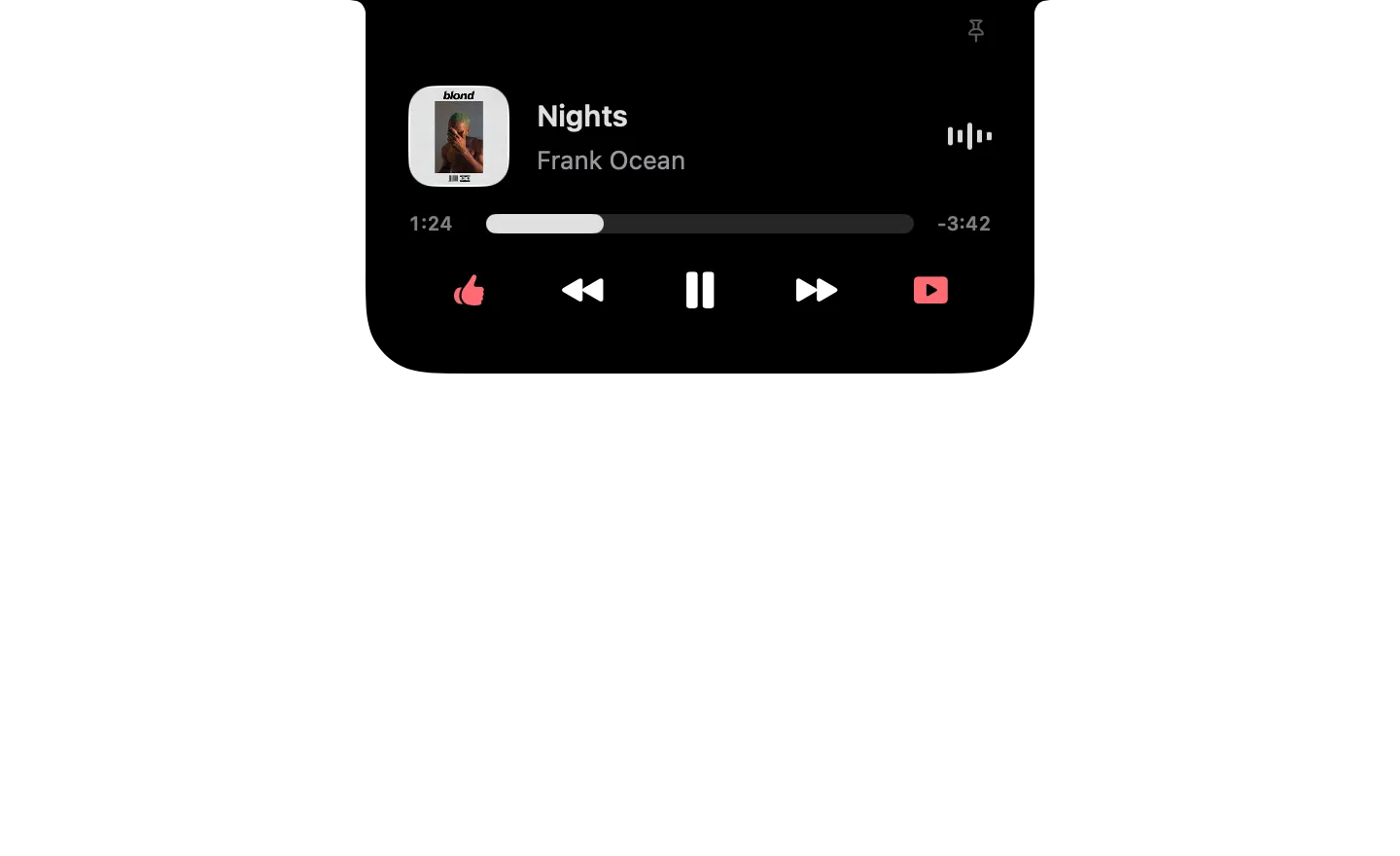
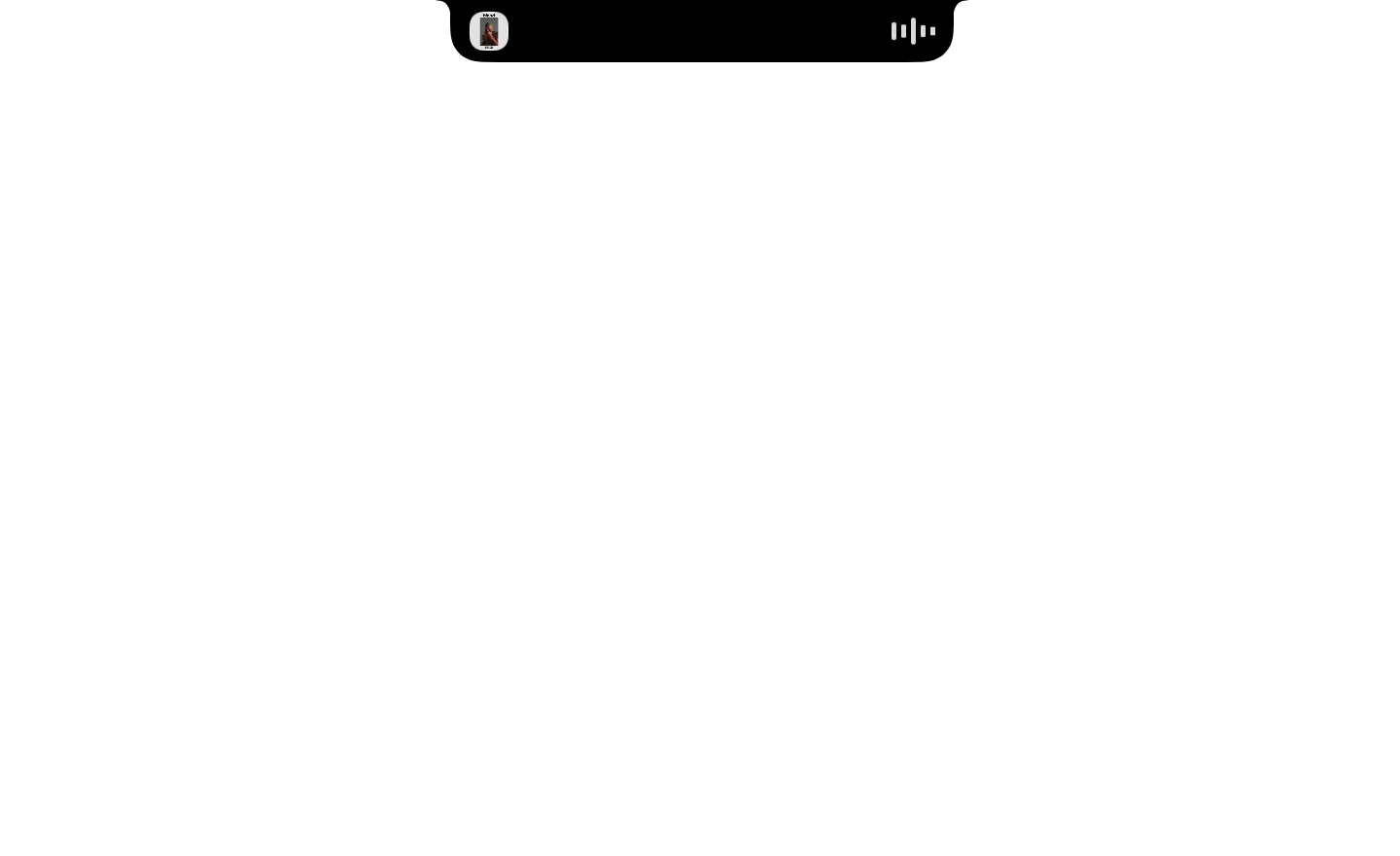
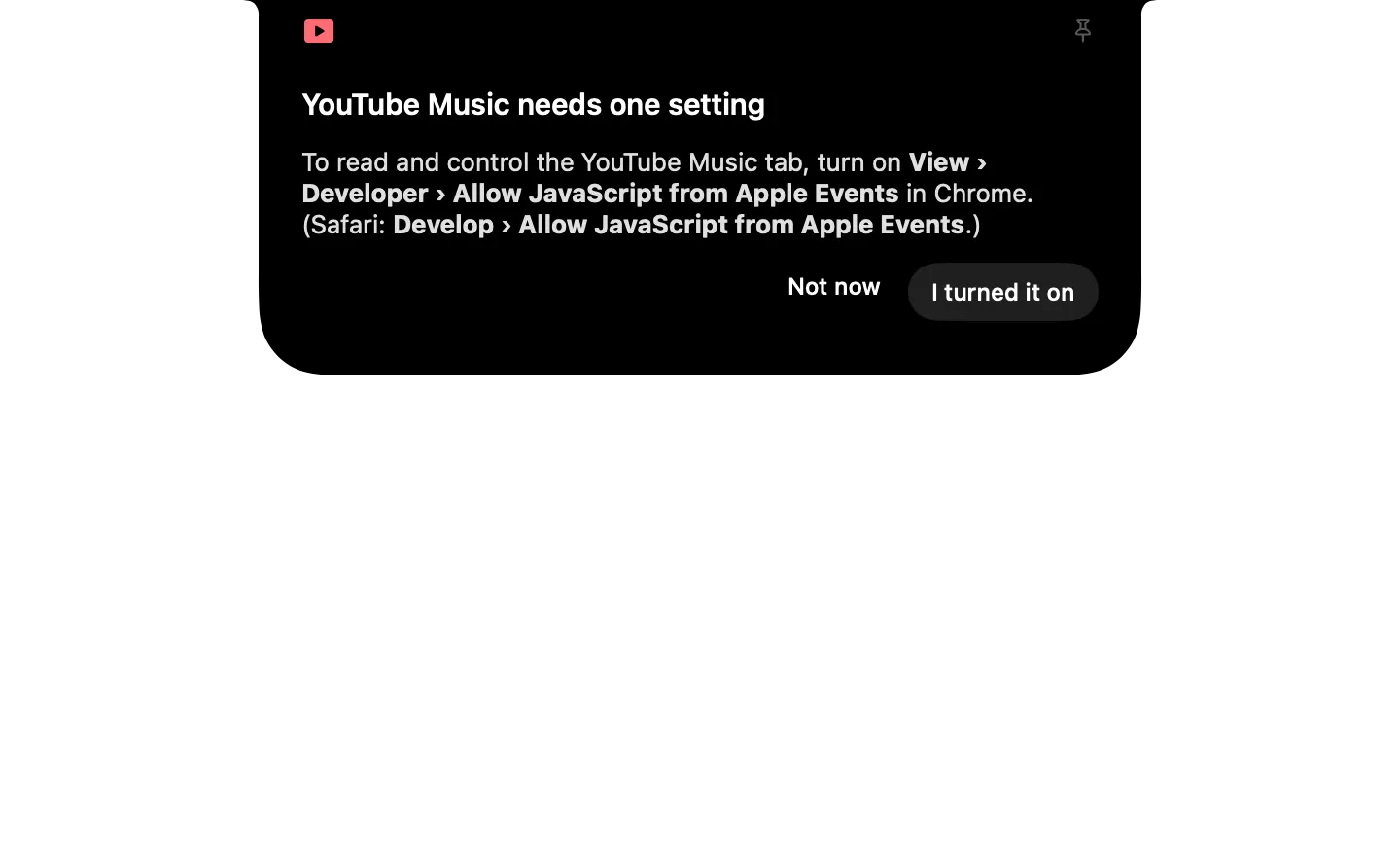
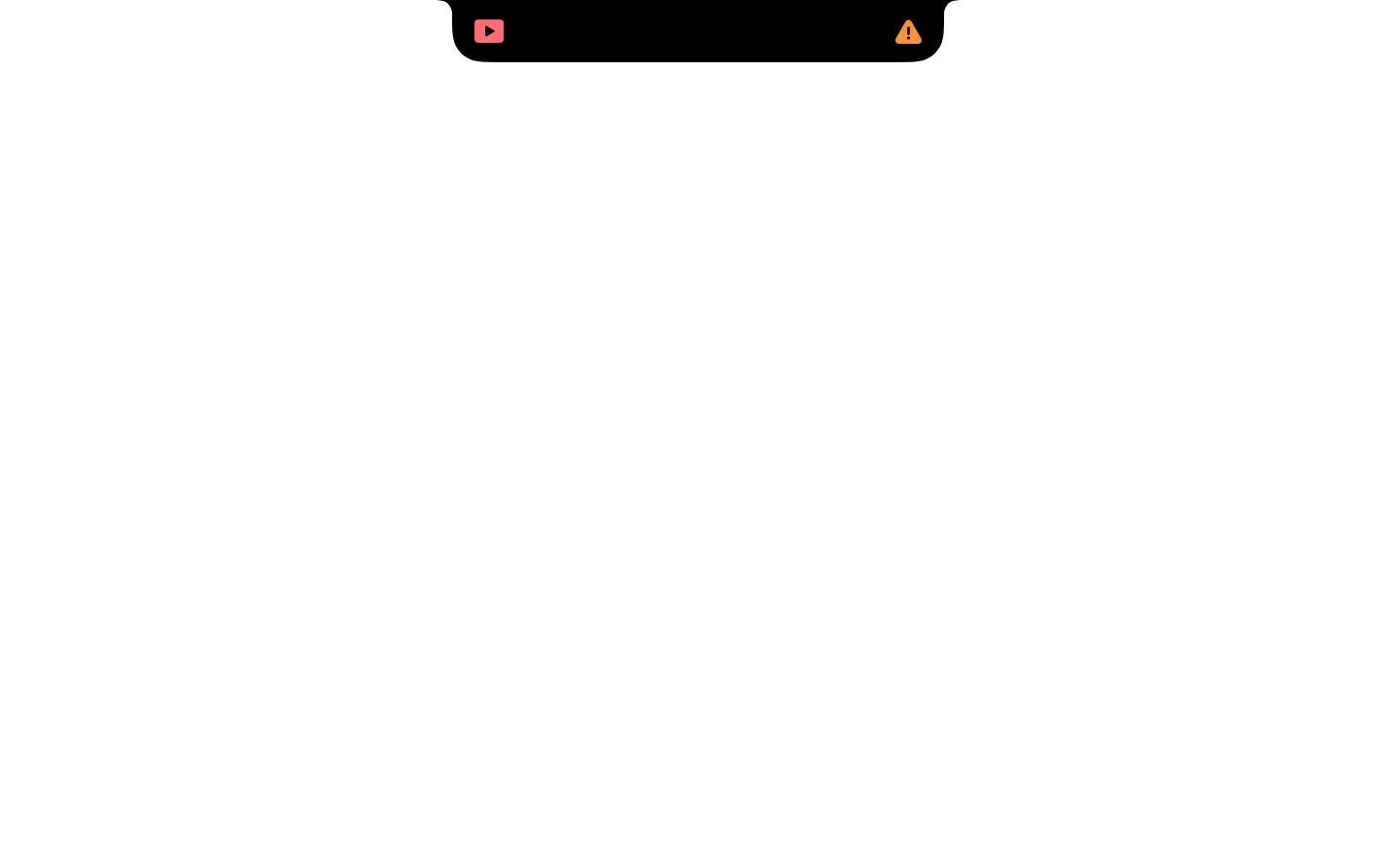
Type it in the notch's search
- Play YouTube Music
- Pause YouTube Music
- Next song on YouTube Music
- Previous song on YouTube Music
- Like this song
- Show YouTube Music
What it runs
A widget is a folder of plain files. Here is all of its code.
widget.json
{
  "id": "youtube-music",
  "name": "Now playing: YouTube Music",
  "icon": "icon.png",
  "description": "YouTube Music playing in Chrome or Safari: cover, track, timeline you can scrub, play/pause, skip and like.",
  "watch": [
    {
      "script": "state.sh",
      "every": 3,
      "as": "ytm"
    }
  ],
  "show_when": {
    "ytm.show": true
  },
  "triggers": [
    {
      "when": {
        "ytm.state": "blocked"
      },
      "open": "setup"
    }
  ],
  "initial": "playing",
  "commands": {
    "play": {
      "phrase": "Play YouTube Music",
      "description": "Resume playback in the YouTube Music tab.",
      "do": [
        {
          "set": {
            "command": "play"
          }
        },
        {
          "run": "control.sh"
        },
        {
          "refresh": "ytm"
        }
      ]
    },
    "pause": {
      "phrase": "Pause YouTube Music",
      "description": "Pause the YouTube Music tab.",
      "do": [
        {
          "set": {
            "command": "pause"
          }
        },
        {
          "run": "control.sh"
        },
        {
          "refresh": "ytm"
        }
      ]
    },
    "next": {
      "phrase": "Next song on YouTube Music",
      "description": "Skip to the next song in YouTube Music.",
      "do": [
        {
          "set": {
            "command": "next"
          }
        },
        {
          "run": "control.sh"
        },
        {
          "refresh": "ytm"
        }
      ]
    },
    "previous": {
      "phrase": "Previous song on YouTube Music",
      "description": "Go back to the previous song in YouTube Music.",
      "do": [
        {
          "set": {
            "command": "previous"
          }
        },
        {
          "run": "control.sh"
        },
        {
          "refresh": "ytm"
        }
      ]
    },
    "like": {
      "phrase": "Like this song",
      "description": "Like (or un-like) the current YouTube Music song.",
      "do": [
        {
          "set": {
            "command": "like"
          }
        },
        {
          "run": "control.sh"
        },
        {
          "refresh": "ytm"
        }
      ]
    },
    "show": {
      "phrase": "Show YouTube Music",
      "description": "Bring the YouTube Music tab to the front.",
      "do": [
        {
          "set": {
            "command": "focus"
          }
        },
        {
          "run": "control.sh"
        }
      ]
    }
  },
  "states": {
    "playing": {
      "compact": {
        "leading": {
          "image": "{{ytm.artwork}}"
        },
        "trailing": {
          "equalizer": {
            "active_when": {
              "ytm.state": "playing"
            },
            "tint_from_image": "{{ytm.artwork}}"
          }
        }
      },
      "expanded": {
        "size": "compact",
        "blocks": [
          {
            "row": [
              {
                "image": "{{ytm.artwork}}",
                "size": "medium"
              },
              {
                "stack": [
                  {
                    "text": "{{ytm.name | Nothing playing}}",
                    "style": "title",
                    "lines": 1
                  },
                  {
                    "text": "{{ytm.artist}}",
                    "tint": "gray",
                    "lines": 1
                  }
                ],
                "spacing": "tight"
              },
              "spacer",
              {
                "equalizer": {
                  "active_when": {
                    "ytm.state": "playing"
                  },
                  "tint_from_image": "{{ytm.artwork}}"
                }
              }
            ],
            "align": "center"
          },
          {
            "slider": {
              "value": "{{ytm.position | 0}}",
              "max": "{{ytm.duration_s | 0}}",
              "format": "time",
              "ticking_when": {
                "ytm.state": "playing"
              },
              "tint_from_image": "{{ytm.artwork}}",
              "on_change": [
                {
                  "set": {
                    "command": "seek {{item.value}}"
                  }
                },
                {
                  "run": "control.sh"
                },
                {
                  "refresh": "ytm"
                }
              ]
            }
          },
          {
            "row": [
              "spacer",
              {
                "button": {
                  "style": "plain",
                  "symbol": "{{ytm.like_symbol | hand.thumbsup}}",
                  "tint": "{{ytm.like_tint}}",
                  "do": [
                    {
                      "set": {
                        "command": "like"
                      }
                    },
                    {
                      "run": "control.sh"
                    },
                    {
                      "refresh": "ytm"
                    }
                  ]
                }
              },
              "spacer",
              {
                "button": {
                  "style": "plain",
                  "symbol": "backward.fill",
                  "do": [
                    {
                      "set": {
                        "command": "previous"
                      }
                    },
                    {
                      "run": "control.sh"
                    },
                    {
                      "refresh": "ytm"
                    }
                  ]
                }
              },
              "spacer",
              {
                "button": {
                  "style": "plain",
                  "symbol": "{{ytm.toggle | pause.fill}}",
                  "size": "large",
                  "do": [
                    {
                      "set": {
                        "command": "playpause"
                      }
                    },
                    {
                      "run": "control.sh"
                    },
                    {
                      "refresh": "ytm"
                    }
                  ]
                }
              },
              "spacer",
              {
                "button": {
                  "style": "plain",
                  "symbol": "forward.fill",
                  "do": [
                    {
                      "set": {
                        "command": "next"
                      }
                    },
                    {
                      "run": "control.sh"
                    },
                    {
                      "refresh": "ytm"
                    }
                  ]
                }
              },
              "spacer",
              {
                "button": {
                  "style": "plain",
                  "symbol": "play.rectangle.fill",
                  "tint": "red",
                  "do": [
                    {
                      "set": {
                        "command": "focus"
                      }
                    },
                    {
                      "run": "control.sh"
                    }
                  ]
                }
              },
              "spacer"
            ],
            "align": "center"
          }
        ]
      }
    },
    "setup": {
      "task": true,
      "compact": {
        "leading": {
          "symbol": "play.rectangle.fill",
          "tint": "red"
        },
        "trailing": {
          "symbol": "exclamationmark.triangle.fill",
          "tint": "orange"
        }
      },
      "expanded": {
        "size": "regular",
        "header": {
          "symbol": "play.rectangle.fill",
          "tint": "red",
          "title": "YouTube Music needs one setting"
        },
        "blocks": [
          {
            "markdown": "To read and control the YouTube Music tab, turn on **View › Developer › Allow JavaScript from Apple Events** in {{ytm.browser | Chrome}}. (Safari: **Develop › Allow JavaScript from Apple Events**.)"
          },
          {
            "row": [
              "spacer",
              {
                "button": {
                  "label": "Not now",
                  "style": "plain",
                  "do": [
                    "dismiss"
                  ]
                }
              },
              {
                "button": {
                  "label": "I turned it on",
                  "style": "filled",
                  "do": [
                    {
                      "refresh": "ytm"
                    },
                    {
                      "go": "playing"
                    }
                  ]
                }
              }
            ]
          }
        ]
      }
    }
  },
  "preview": {
    "states": [
      "playing",
      "setup"
    ],
    "data": {
      "ytm": {
        "state": "playing",
        "show": true,
        "browser": "Chrome",
        "name": "Nights",
        "artist": "Frank Ocean",
        "album": "Blonde",
        "artwork": "https://image-cdn-fa.spotifycdn.com/image/ab67616d00001e02c5649add07ed3720be9d5526",
        "position": 83,
        "duration_s": 307,
        "liked": true,
        "like_symbol": "hand.thumbsup.fill",
        "like_tint": "red",
        "toggle": "pause.fill"
      }
    }
  }
}
control.sh
#!/bin/sh
# Sends $CHOPSTICK_COMMAND to the YouTube Music tab: playpause, play, pause, next,
# previous, like, focus, or "seek <seconds>".
# shellcheck disable=SC2086
osascript -l JavaScript ytm.js $CHOPSTICK_COMMAND >/dev/null
state.sh
#!/bin/sh
# What YouTube Music is playing in Chrome or Safari, as JSON. Prints {} without
# asking a browser anything when neither is open.
pgrep -xq "Google Chrome" || pgrep -xq Safari || { echo '{}'; exit 0; }
osascript -l JavaScript ytm.js state 2>/dev/null || echo '{}'
ytm.js
// Talks to a YouTube Music tab in Chrome or Safari: `osascript -l JavaScript ytm.js <command>`.
// Commands: state (prints JSON), playpause, play, pause, next, previous, seek <s>, like, focus.
// Prints {} if no tab is open, {"state":"blocked"} if the browser won't run page JavaScript.

const READ = `(() => {
  const v = document.querySelector('video'), m = navigator.mediaSession.metadata
  if (!v || !m || !m.title) return JSON.stringify({ state: 'idle' })
  const art = (m.artwork || []).slice(-1)[0]
  const like = document.querySelector('ytmusic-player-bar ytmusic-like-button-renderer')
  const liked = !!like && like.getAttribute('like-status') === 'LIKE'
  const playing = !v.paused
  return JSON.stringify({
    state: playing ? 'playing' : 'paused', name: m.title, artist: m.artist, album: m.album,
    artwork: art ? art.src : '', position: Math.round(v.currentTime), duration_s: Math.round(v.duration || 0),
    liked, like_symbol: liked ? 'hand.thumbsup.fill' : 'hand.thumbsup', like_tint: liked ? 'red' : '',
    toggle: playing ? 'pause.fill' : 'play.fill' })
})()`

const click = sel => `(() => { const b = document.querySelector(${JSON.stringify(sel)}); if (b) b.click(); return !!b })()`
const ACTIONS = {
  playpause: click('ytmusic-player-bar #play-pause-button'),
  play: `(() => { const v = document.querySelector('video'); if (v && v.paused) document.querySelector('ytmusic-player-bar #play-pause-button').click(); return true })()`,
  pause: `(() => { const v = document.querySelector('video'); if (v && !v.paused) document.querySelector('ytmusic-player-bar #play-pause-button').click(); return true })()`,
  next: click('ytmusic-player-bar .next-button'),
  previous: click('ytmusic-player-bar .previous-button'),
  like: `(() => { const r = document.querySelector('ytmusic-player-bar ytmusic-like-button-renderer');
    const b = r && (r.querySelector('#button-shape-like button') || r.querySelector('.like')); if (b) b.click(); return !!b })()`,
}

function running(name) {
  try { return Application(name).running() } catch (e) { return false }
}

// Every YouTube Music tab: { browser, app, win, tab, exec(js) }
function tabs() {
  const found = []
  if (running('Google Chrome')) {
    const app = Application('Google Chrome')
    app.windows().forEach(win => win.tabs().forEach((tab, i) => {
      if (/^https:\/\/music\.youtube\.com/.test(tab.url()))
        found.push({ browser: 'Chrome', app, win, tab, index: i + 1, exec: js => tab.execute({ javascript: js }) })
    }))
  }
  if (running('Safari')) {
    const app = Application('Safari')
    app.windows().forEach(win => { try { win.tabs().forEach(tab => {
      if (/^https:\/\/music\.youtube\.com/.test(tab.url() || ''))
        found.push({ browser: 'Safari', app, win, tab, exec: js => app.doJavaScript(js, { in: tab }) })
    }) } catch (e) {} })
  }
  return found
}

function run(argv) {
  const [cmd = 'state', arg] = argv
  const all = tabs()
  if (!all.length) return '{}'

  // Read every tab; the one playing wins, else the first that has a track.
  let best = null, blocked = null
  for (const t of all) {
    let s
    try { s = JSON.parse(t.exec(READ)) } catch (e) { blocked = blocked || t; continue }
    s.browser = t.browser
    if (!best || (s.state === 'playing' && best.s.state !== 'playing') || (best.s.state === 'idle' && s.state !== 'idle')) best = { t, s }
  }
  if (!best) return JSON.stringify({ state: 'blocked', browser: blocked.browser, show: true })

  const { t, s } = best
  if (cmd === 'state') { s.show = s.state === 'playing'; return JSON.stringify(s) }
  if (cmd === 'seek') return String(t.exec(`(() => { document.querySelector('video').currentTime = ${Number(arg) || 0}; return true })()`))
  if (cmd === 'focus') {
    if (t.browser === 'Chrome') t.win.activeTabIndex = t.index
    else t.win.currentTab = t.tab
    t.win.index = 1
    t.app.activate()
    return 'true'
  }
  if (!ACTIONS[cmd]) throw new Error('Unknown command ' + cmd)
  return String(t.exec(ACTIONS[cmd]))
}